Isoplotec Co., Ltd.
This HP describes PloView, a viewer and converter that displays and edits
various graphic files and converts data.
This HP has simplified the contents for mobile. Please refer to the following HP on a PC for detailed functions of this product, downloading, ordering method, etc.
https://www.isoplotec.co.jp/eploview.htm
* PloView function introduction demo video (resolution: 1920 x 1080)
Youtube registration video(same content as above) URL:
https://youtu.be/uL5eR5r3bIA

1. Supports many file formats
Input: HPGL, HP-GL/2, HP RTL, PDF, DXF,
DWG, GERBER, NC-Drill, IGES, SXF,
EMF, TIFF, JPEG, Bitmap, PCX, FPX,
GIF, PNG
Output: HPGL, HP-GL/2, HP RTL, PDF, DXF,
DWG, IGES, SXF, EMF, TIFF, JPEG,
Bitmap, PCX, FPX, GIF, PNG,
Printer, Plotter, Clipboard copy
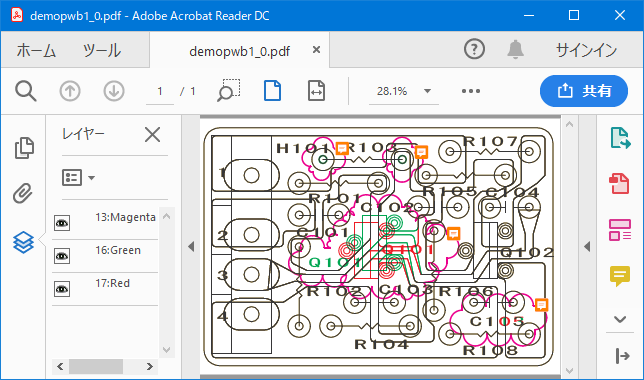
Add layer attributes to colors/pages and annotations
to cloud marks in PDF output
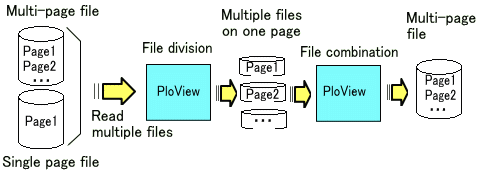
2. Split and join pages
Open multiple files, view pages, combine into multi-page files
Split a multi-page file into separate files for each page
3. pen settings
Line color, width change, black and white/color switching for the entire drawing, background color switching, pen ON/OFF
4. Drawing mode
Overwrite/mixed color/difference/data merge instructions
5. Display
Rotate, Mirror, Grid, Thumbnail view
6. Letter font
Vector font/TrueType font switching
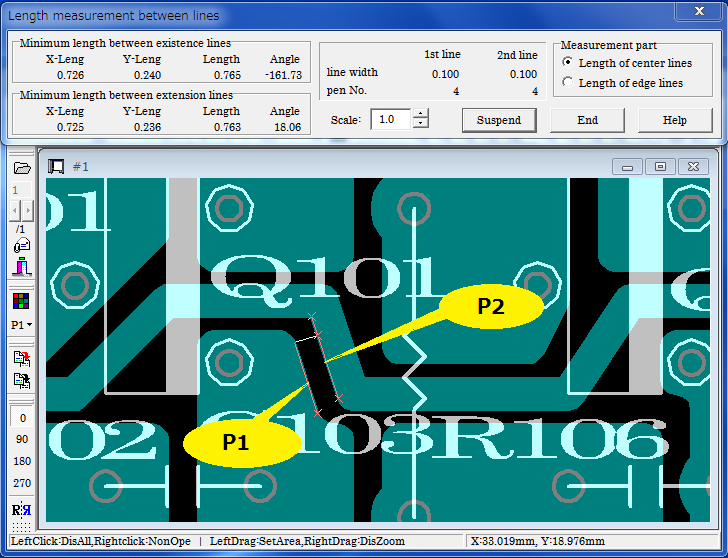
7. Length measurement, search
coordinates, length, area, line width, angle measurement,
Character search, connected line search, total line length measurement
8. Comment drawing editing
PloView has a powerful input editing function comparable tow dimensional
CAD, and you can easily create another drawing by using the design drawing.
* File
Create new, or read item-1 vector input file, edit and save to item-1 output
file
* Shapes
Polyline, Arc, Circle, Horizontal line, Vertical line, Diagonal line, Opposite angle line, Regular polygon, Ellipse, Offset line, Free curve, Cloud line, Spline, Surface, Rectangle, Ellipse, Text, Bitmap, Macro, Dimensions ( horizontal, vertical, diagonal, angle, radius, diameter)
* Edit
Setting, selection (individual selection, rectangular area selection, polygonal area selection), move copy, delete, polygonal line segment division/deletion, line deletion at area boundary, trim, attribute change, move copy, vertex arc insertion, chamfer, route change , Line Extension Connection, Rotate Copy, Enlarge/Reduce Copy, Macroize, Macro Disassemble, Redo, Undo

Personal computer with Intel compatible CPU
* Free memory: 2GB or more
* Free hard disk space: 2GB or more
* Screen resolution: 1024 x 768 dots or higher
* OS: Windows7, 8, 10, 11 32Bit, 64Bit

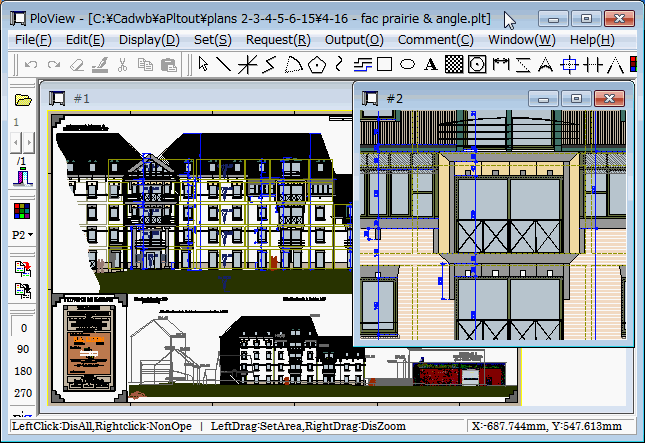
PloView main screen
Distance measurement between lines
PDF output layers, cloud marks, note annotations
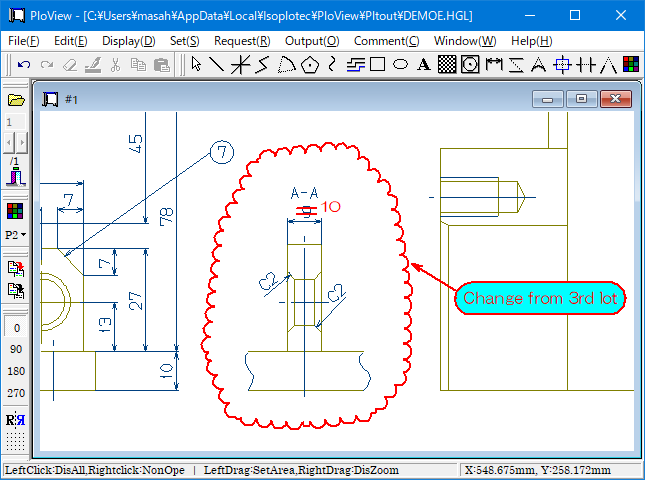
Comment function

70.00 US$ / license
You can use all features for free for 30 days.